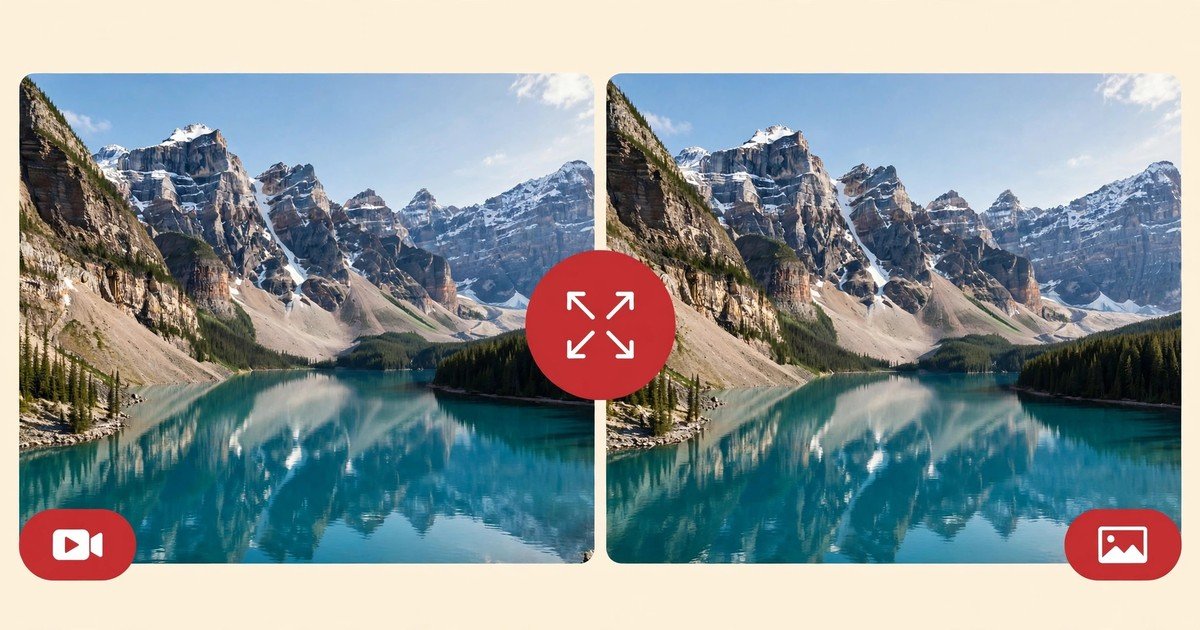
1. Video Pins: Container, Codecs & Audio Quality (MP4)
When you download a video pin from Pinterest, the file you receive is an industry-standard MP4 container encoded with the H.264 video codec and AAC stereo audio. This is the gold standard for digital video compatibility. MP4 files play smoothly across every modern operating system (iOS, iPadOS, macOS, Android, Windows, and Linux) without requiring external media players, third-party apps, or special codec packs.
Furthermore, MP4 videos downloaded through EZPinSaver can be imported directly into professional and consumer video editors like Adobe Premiere Pro, Final Cut Pro, DaVinci Resolve, CapCut, and Canva for creative remixing, mood boarding, and reference clipping. Sound is preserved with pristine fidelity, ensuring spoken recipes, workout instructions, and background acoustic tracks sound exactly as intended.
2. Image Pins: JPG, PNG, and WebP Explained
For static image pins, the format you receive depends on the original source file uploaded by the creator:
- JPG (JPEG): Used for over 90% of Pinterest pins, particularly photography, lifestyle shots, fashion aesthetics, and food imagery. JPEGs offer an ideal balance of sharp visual detail and efficient compression.
- PNG: Reserved for graphics requiring transparency (such as transparent digital stickers, brand logos, UI mockups, and typography overlays) or lossless line art. If the original pin is a PNG, EZPinSaver extracts the true uncompressed PNG without converting it to a lossy JPEG or flattening the alpha transparency channel.
- WebP: A modern compressed image format developed by Google. While Pinterest frequently serves WebP images in mobile web browsers to speed up feed loading times, our extractor always checks for the underlying master JPG or PNG in the
originals/CDN repository first.
3. Animated Pins: Native GIFs vs Looping MP4 Videos
Animated pins on Pinterest represent a fascinating technical case study. Depending on when the pin was created, its duration, and the original upload format, Pinterest handles motion in one of two distinct ways:
- Native Animated GIF: Compact reaction animations, pixel art loops, and digital stickers are often stored as authentic
.giffiles in theoriginals/path. When you download these through our Pinterest GIF Downloader, you receive the raw animated GIF file that loops endlessly in standard image viewers and messaging apps. - Silent Looping MP4: Because traditional GIF files can be 5 to 10 times larger in file size than modern video codecs, Pinterest converts longer animations or high-resolution clips into silent, looping MP4 video clips. In such cases, our downloader provides the smooth MP4 video stream, which offers superior image quality, higher frame rates, and smaller file footprints.
4. Real Resolutions vs Marketing Myths: What Pinterest Actually Stores
A quick web search for Pinterest download tools reveals sites claiming inflated resolutions. As an independent, technically honest utility, EZPinSaver wants to set the record straight: Pinterest serves video pins in standard progressive MP4 renditions up to 720p HD (the largest MP4 Pinterest stores for that pin).
When creators upload video to Pinterest, the platform's video encoding pipeline transcodes the media into standardized progressive MP4 resolutions optimized for smooth mobile viewing: 720p HD (720×1280), 540p, and 360p. Any site claiming to offer exaggerated resolutions is either misrepresenting the file or using artificial lossy filters. EZPinSaver queries the real manifest and provides only the authentic resolutions that actually exist on Pinterest's servers.
5. Why Filenames Matter (And How EZPinSaver Fixes Them)
When you download media directly from Pinterest's CDN or through unrefined download tools, the resulting filename is a string of cryptographic hashes or random server numbers, such as f4a8b79c3d2e1f0a.mp4. If you download a dozen tutorial clips or interior design references in an afternoon, your Downloads folder quickly becomes an unnavigable mess.
EZPinSaver solves this pain point with our automated title-based naming engine. When you paste a link, our backend queries the pin's metadata, extracts the creator's human-readable title, cleans out special characters and emojis, and formats it into an SEO-friendly slug. A pin titled "5 Easy Sourdough Bread Scoring Patterns" downloads cleanly as 5-easy-sourdough-bread-scoring-patterns.mp4. Your files remain instantly searchable on your hard drive.
6. How Our Direct Downloads Work (Attachment Headers)
Many online download services redirect you through third-party advertising gates or open video files in passive browser tabs where you have to manually right-click and find a hidden save button. EZPinSaver is designed for maximum speed and simplicity:
Our server-side download engine streams files with standardized Content-Disposition: attachment; filename="..." HTTP headers. When you click the download button, your browser immediately triggers its native download workflow, saving the file directly to your chosen folder without intermediate interstitial screens or tracking scripts.
7. Troubleshooting Format & Playback Issues on Different Devices
Occasionally, users experience minor playback quirks when moving files between operating systems. Here is how to diagnose and resolve them:
- Windows Media Player Blank Screen: Older legacy media players on Windows 10 may lack updated AAC audio or H.264 decoders. Installing the modern Movies & TV app or the free VLC Media Player guarantees smooth, artifact-free playback.
- iPhone Files vs Photos: On iOS, downloaded MP4 videos land in the Files app by default. To make them accessible in Instagram or messaging apps, open the file in Files, tap Share, and select "Save Video" to transfer it to your Camera Roll.
- Audio Track Missing in Third-Party Editors: Some mobile video editing apps struggle to import stereo audio tracks embedded at non-standard sampling rates. Re-exporting through QuickTime or VLC effortlessly standardizes the audio track.