What Is a Pinterest Downloader?
Pinterest is a leading visual discovery engine for recipes, home decor, fashion, and DIY projects. While millions save pins daily, Pinterest does not provide a direct "Save to Device" button for video files. Bookmarking a pin simply saves it to your cloud account board—not your phone camera roll or computer hard drive.
A Pinterest downloader bridges this gap. Our free web utility extracts the raw MP4 video stream, original picture, or animated GIF directly from any public pin, giving you clean offline access without requiring an active internet connection.
How to Download Pinterest Videos in 3 Steps
Downloading Pinterest media requires zero software installation or technical expertise:
- Step 1: Copy the Link: Open Pinterest on your mobile device or browser, tap Share, and choose "Copy Link". Both standard desktop URLs and short
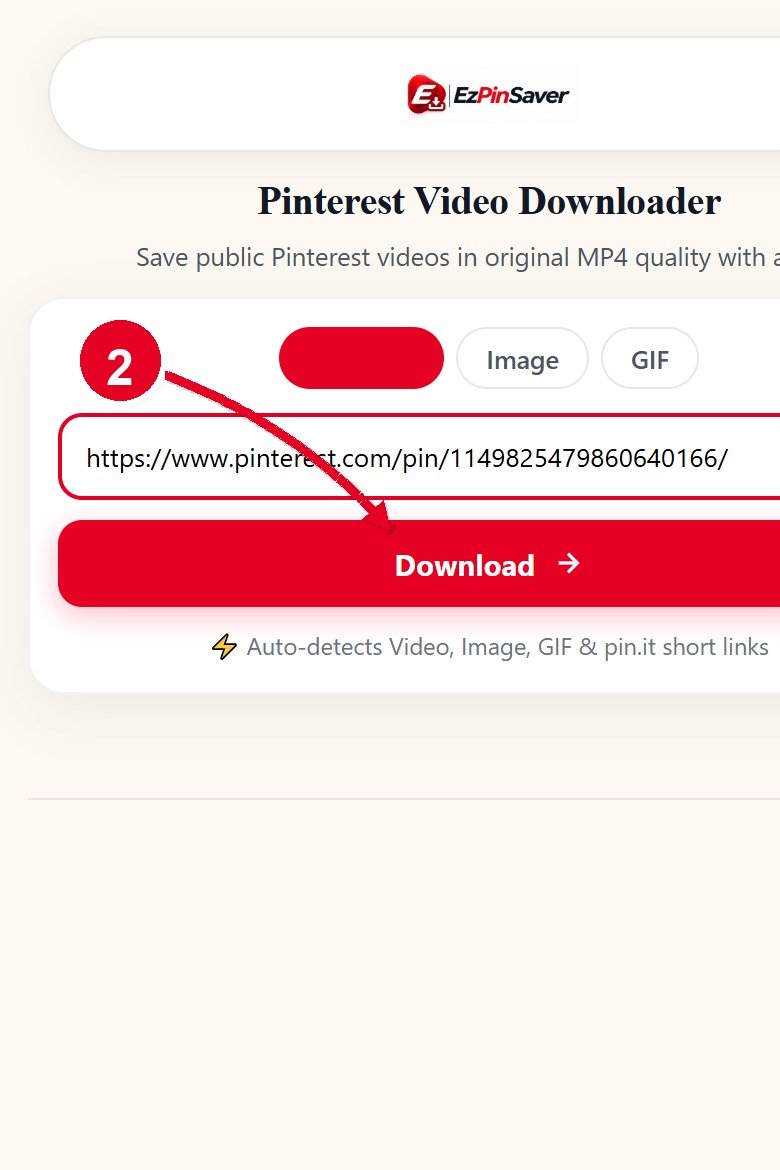
pin.itlinks work seamlessly. - Step 2: Paste and Submit: Paste the link into the downloader search box and click Download. Our engine analyzes the pin and retrieves all available resolution streams.
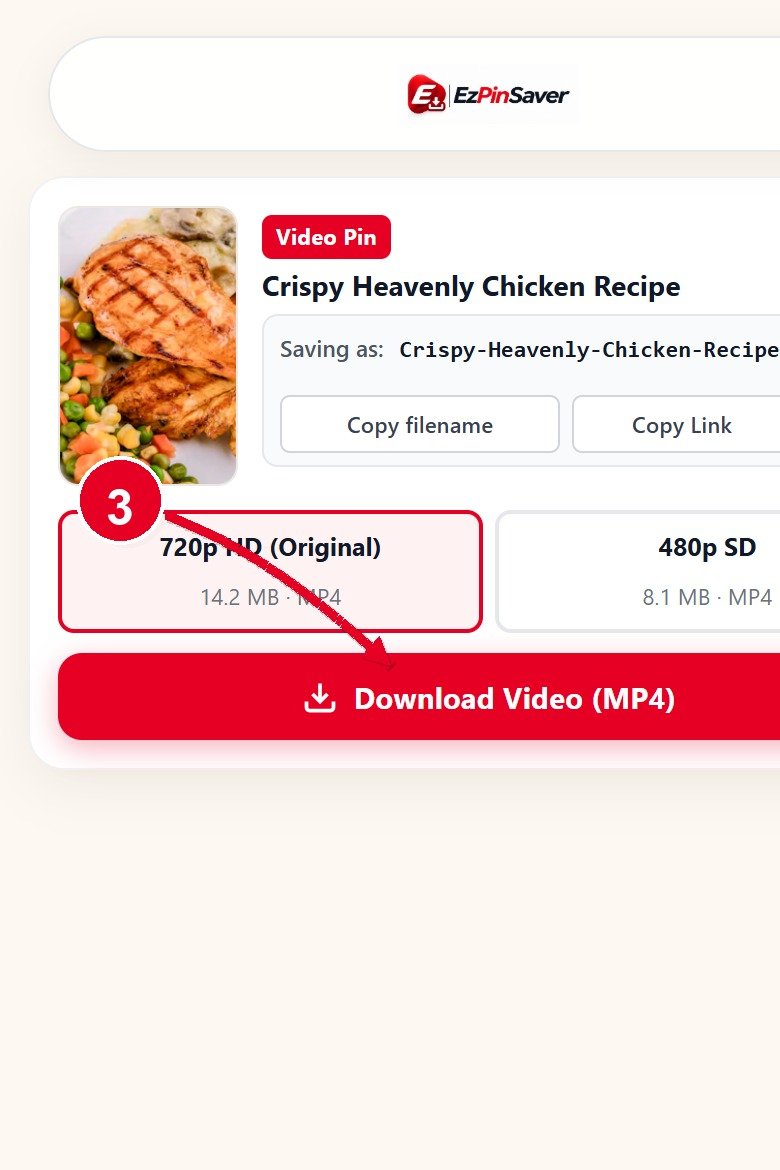
- Step 3: Save Your Media: Verify the video preview and title-based filename, pick your preferred resolution (1080p, 720p, or 480p), and click Download to save the MP4 directly to your device without watermarks.
Pinterest Image Downloader — Original Quality, Not Thumbnails
Saving images directly from your Pinterest feed only captures compressed feed thumbnails (typically 236px or 564px wide), resulting in blurry or pixelated pictures when printed or viewed on large screens.
Our dedicated Pinterest Image Downloader bypasses these thumbnail caches to retrieve the creator's full-resolution master file from Pinterest's originals repository. You receive the crisp, uncompressed original photo in JPG, PNG, or WebP format exactly as uploaded.
What Will My Downloaded File Be Called?
Most online downloaders dump unreadable server hashes, cluttering your folder with names like video(1).mp4 or 210684088815110042.mp4. Searching for a specific tutorial or recipe later becomes frustrating.
EZPinSaver automatically detects the creator's real pin title, cleans away symbols and web clutter, and generates a descriptive filename. For example, a pin titled "Easy Chicken Pasta Recipe | Dinner in 20 Minutes!" downloads as easy-chicken-pasta-recipe-dinner-in-20-minutes.mp4. An image titled "Modern Room Decor Ideas" saves as modern-room-decor-ideas.jpg, keeping your downloads folder organized.
Is It Safe? Is It Legal?
Security and copyright integrity guide everything we build. EZPinSaver requires no software install, no browser extensions, and no user account. We operate strictly over encrypted HTTPS, never ask for your Pinterest login credentials, and never store or log your downloaded media.
From a copyright perspective, you should only download media that you own, have explicit permission to use, or that exists in the public domain. Content creators invest substantial effort into their work; downloading copyrighted videos or artwork to resell, redistribute, or claim as your own violates copyright laws and Pinterest's Terms of Service. Always credit creators and use downloads responsibly for personal offline viewing. Our tool works with public pins only and cannot access secret boards or private accounts.
Why EZPinSaver Is Different
We built EZPinSaver to provide a fast, clean, and honest utility without deceptive ads or broken promises:
- Descriptive Filenames: Files are automatically named after the pin title, eliminating unsearchable numeric hashes.
- Honest Quality Labels: We inspect real source streams and present true resolutions (1080p, 720p, 480p) without fake "4K upscaling" claims.
- Visual Media Preview: Check the thumbnail, title, and media format before saving to verify you have the right pin.
- No Login & No Tracking: Zero registration forms, no email collection, and no user tracking. Links are processed in transient memory.
- Direct File Downloads: Clean stream proxy delivers attachments straight to your storage instead of playing in a browser tab.
Who Uses It?
Our utility supports a wide range of creative and productive workflows:
- Content Creators: Retrieve clean backup copies of your published pins and video reels across editing workstations.
- Designers & Illustrators: Archive high-resolution reference pins in original uncompressed quality without feed compression.
- Educators & Students: Compile visual study aids and classroom guides for offline use where internet access is limited.
- Hobbyists & Home Cooks: Keep an offline collection of cooking recipes, gardening tips, and workout routines ready to access anytime.
Whatever your goal, EZPinSaver gives you a simple, reliable way to save your public visual inspiration.